In today’s competitive job market, your resume and LinkedIn profile are more than just documents—they are your personal brand. With the rise of AI tools like ChatGPT, optimizing these assets has become faster, smarter, and more strategic. But here’s the catch: the quality of output depends entirely on the quality of your prompts.
If you’re not asking the right questions, you’re not getting the best results.
In this guide, you’ll discover 5 powerful, user-friendly AI prompts designed to help you:
This prompt helps you create a complete funnel from awareness to conversion.
- Craft a compelling resume
- Enhance your LinkedIn profile
- Stand out to recruiters
- Improve keyword optimization (ATS-friendly)
- Build a strong personal brand
Each prompt is long, structured, and ready to use—just copy, paste, and customize.
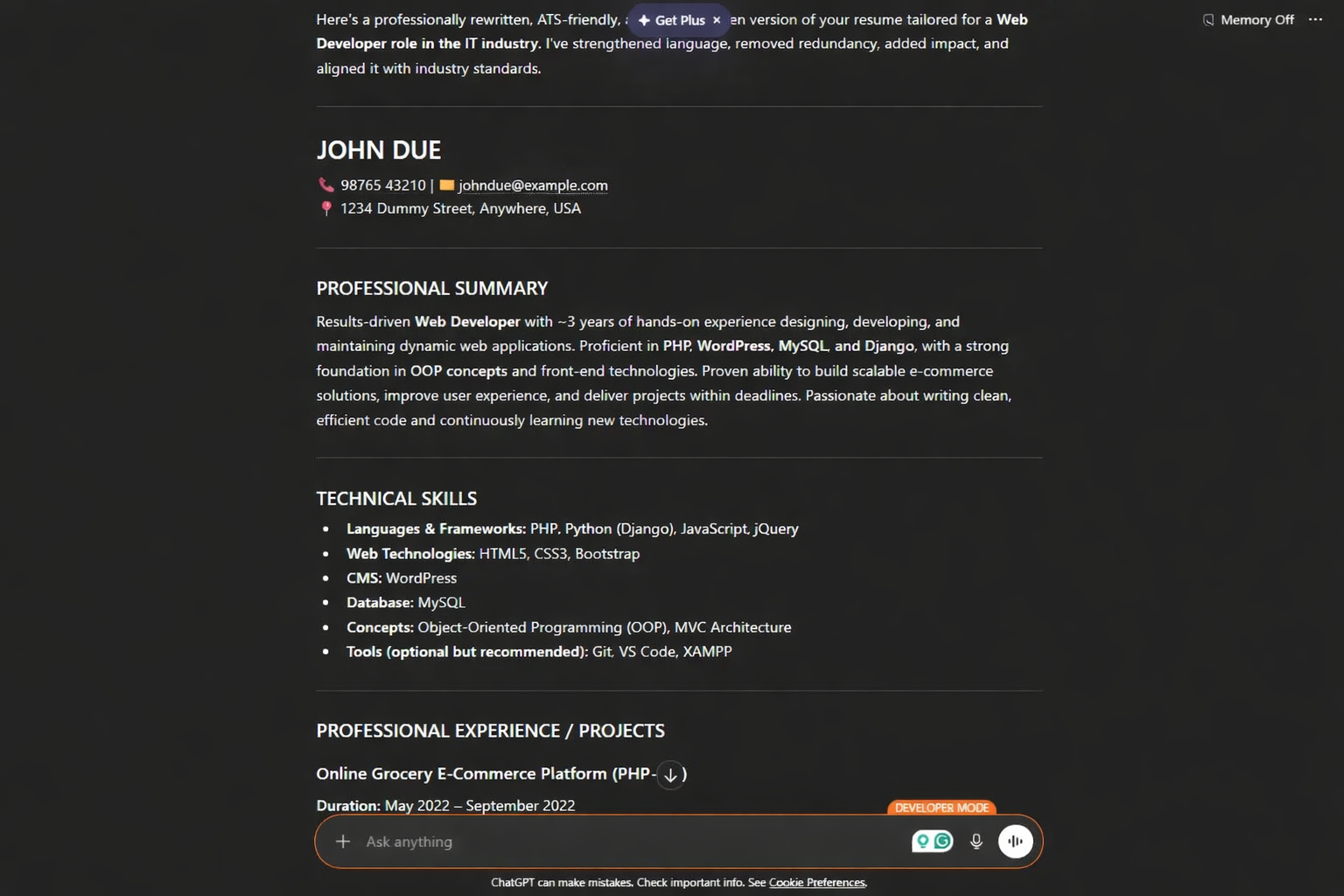
Resume Rewrite Prompt (Professional & ATS-Optimized)
Use this when: You want to upgrade your resume for better clarity, impact, and ATS compatibility.
Prompt:
Act as a professional resume writer and career coach. Rewrite my resume to make it more impactful, ATS-friendly, and results-driven. Use strong action verbs, quantify achievements where possible, and align the content with industry standards.
- Here is my current resume: [Paste Resume]
- Target job role: [Job Title]
- Industry: [Industry Name]
- UYears of experience: [X years]
Focus on:
- Clear bullet points with measurable achievements
- Keyword optimization based on the target role
- Professional tone and formatting
- Removing redundancy and improving readability
Also suggest improvements for sections like summary, skills, and experience.
LinkedIn Headline Optimization Prompt
Use this when: Your headline feels boring or generic.
Prompt:
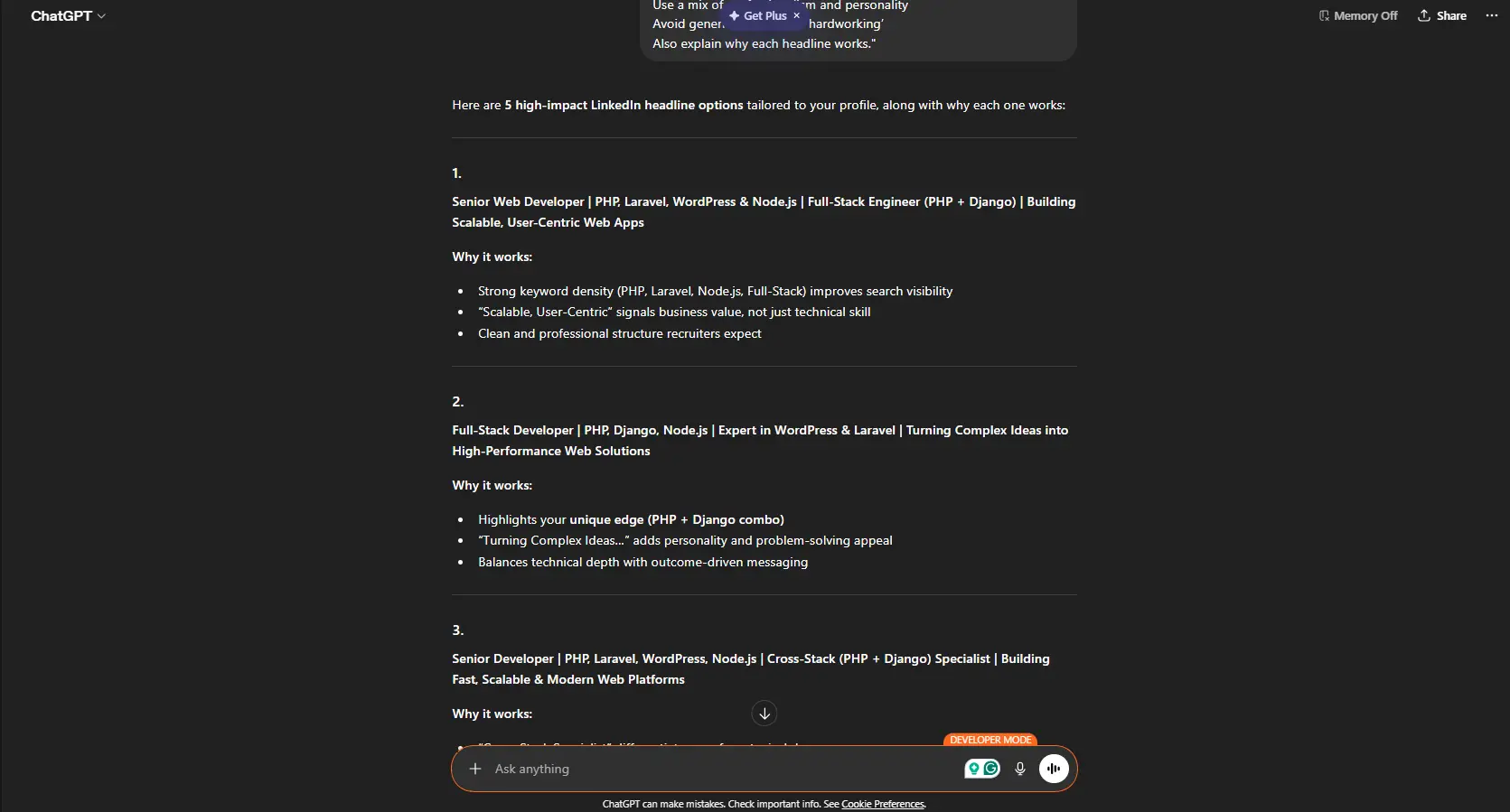
Act as a LinkedIn branding expert. Create 5 highly engaging LinkedIn headline options for me that attract recruiters and clearly communicate my valueMy details:
- Current role: [Your Role]
- Industry: [Industry]
- Key skills: [Skills]
- Unique strengths: [What makes you different]
- Career goal: [Target role]
Guidelines:
- Keep it under 220 characters
- Make it keyword-rich and impactful
- Use a mix of professionalism and personality
- Avoid generic phrases like ‘hardworking’
Also explain why each headline works.
LinkedIn About Section (Storytelling Prompt)
Use this when:You want a powerful, human-centered “About” section.
Prompt:
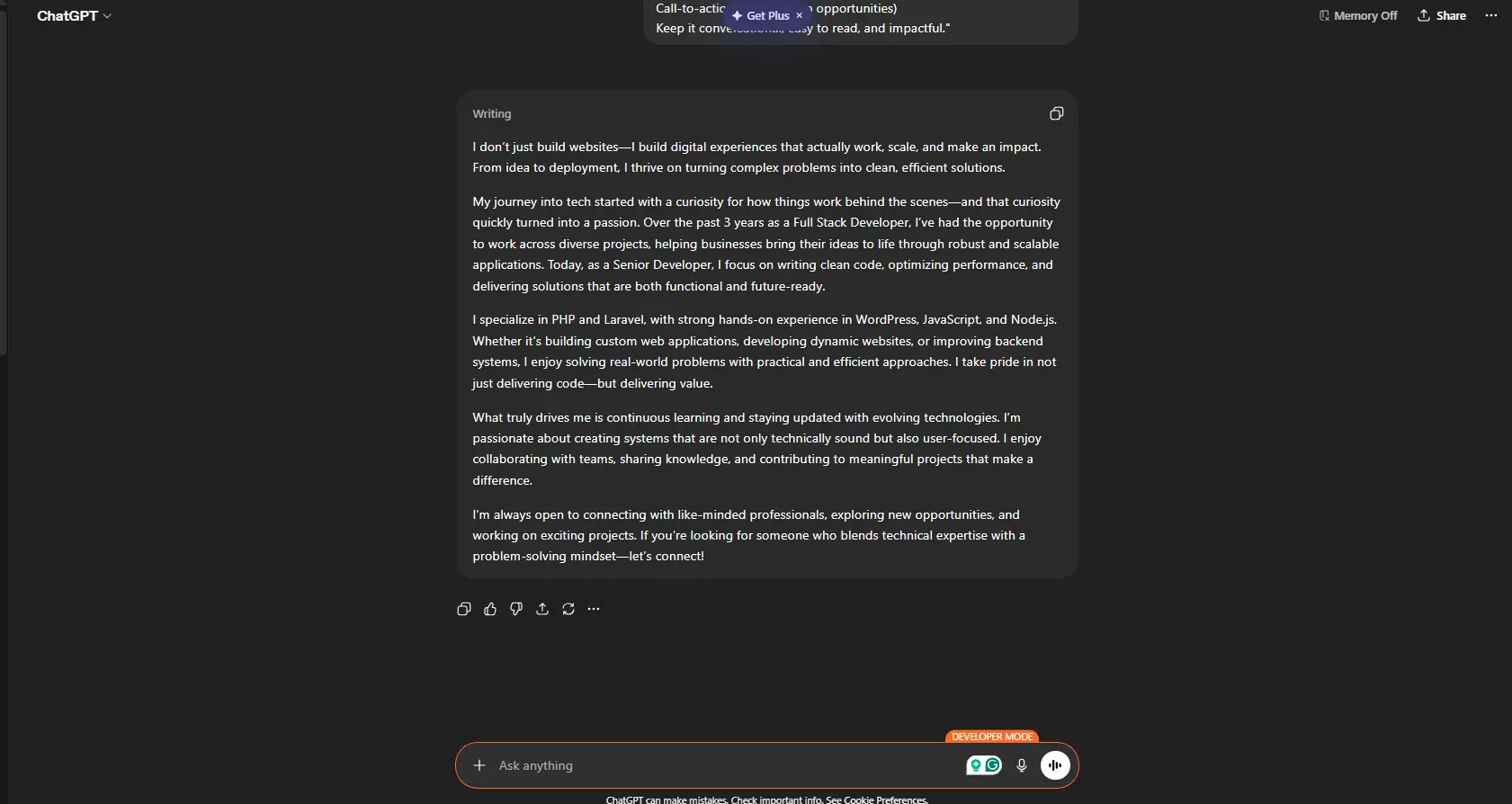
Act as a personal branding storyteller. Write a compelling LinkedIn About section for me that is engaging, authentic, and professional.My background:
- Experience: [Summary of experience]
- Skills: [Skills]
- Career journey: [Short story]
- Goals: [Future goals]
Structure the content as:
- Strong hook (first 2 lines must grab attention)
- Career journey/story
- Key strengths and achievements
- What I’m passionate about
- Call-to-action (e.g., open to opportunities)
Keep it conversational, easy to read, and impactful.
Skills & Keyword Optimization Prompt
Use this when:You want your resume and LinkedIn to rank better in recruiter searches.
Prompt:
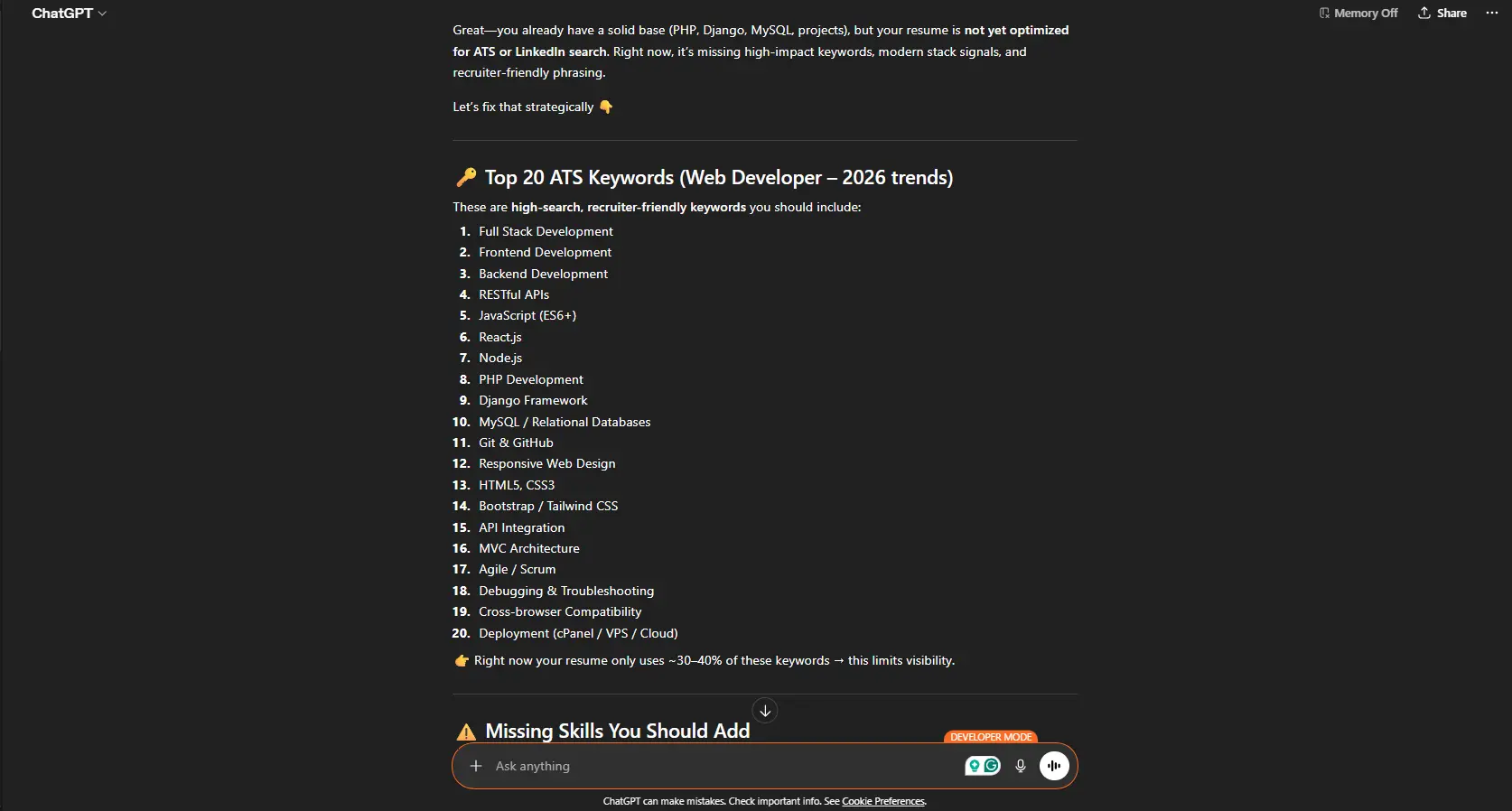
Act as an ATS and LinkedIn SEO expert. Analyze my resume and suggest the most relevant keywords and skills I should include to optimize visibility for recruiters.
- Here is my resume: [Paste Resume]
- Target role: [Job Title]
Please provide:
- Top 20 keywords I should include
- Missing skills I should add
- Industry-specific terms
- Suggestions to naturally integrate these keywords into my resume and LinkedIn
Make sure the recommendations are aligned with current hiring trends.
Resume Summary / Professional Profile Generator Prompt
Use this when:Your resume summary feels weak, generic, or unclear.
Prompt:
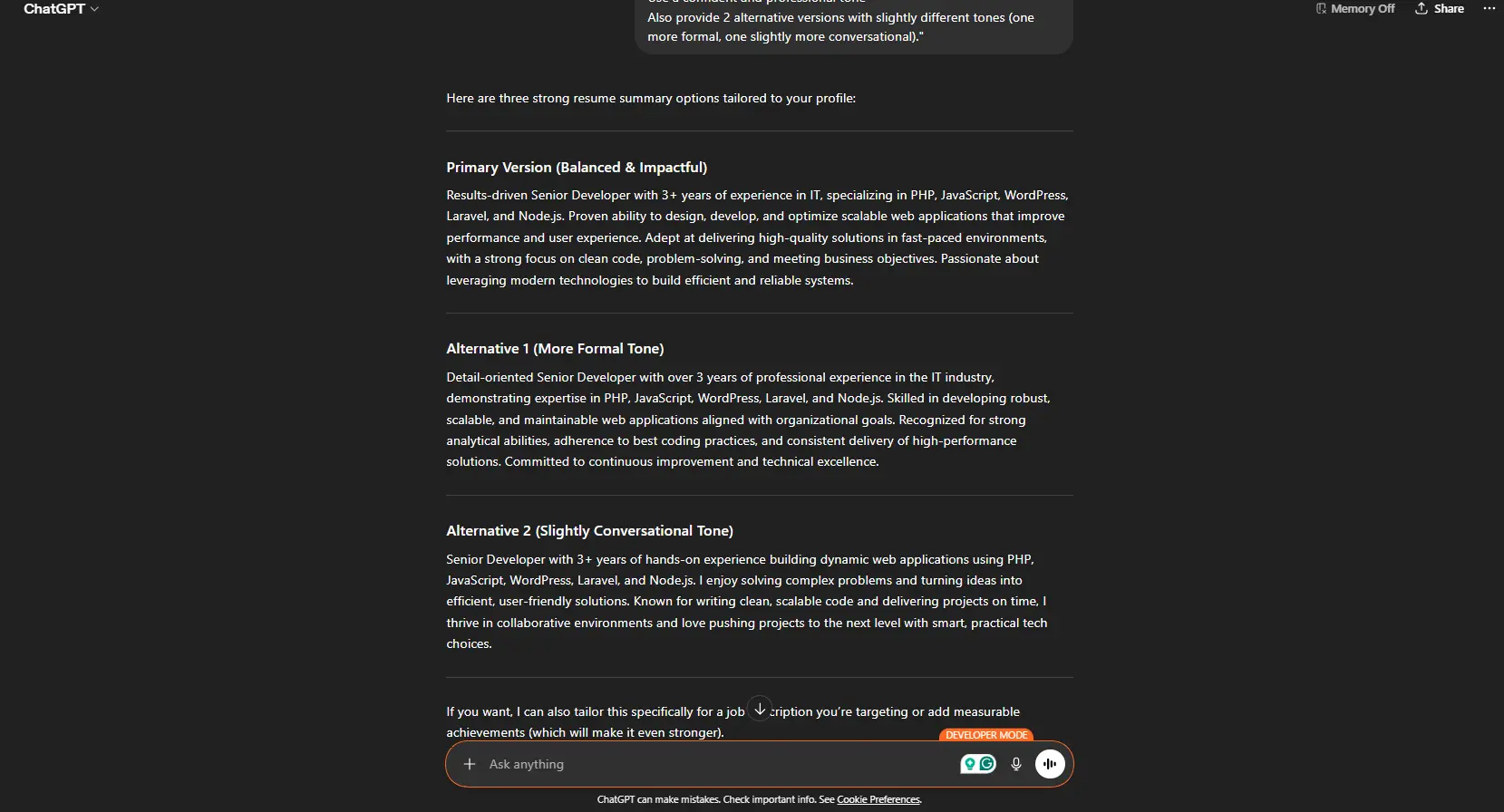
Act as an expert career coach and resume strategist. Write a powerful and compelling resume summary (professional profile) for me that immediately captures attention and highlights my value.My details:
- Current role: [Your Role]
- Years of experience: [X years]
- Industry: [Industry]
- Key skills: [Skills]
- Top achievements: [Achievements]
- Career goals: [Target role or aspiration]
Guidelines:
- Keep it 3–5 lines (concise but impactful)
- Start with a strong positioning statement
- Highlight key strengths and unique value
- Include measurable achievements if possible
- Align with my target job role
- Make it ATS-friendly with relevant keywords
- Use a confident and professional tone
Also provide 2 alternative versions with slightly different tones (one more formal, one slightly more conversational).
Bonus Tips for Best Results
- Always customize prompts with your real data
- Use follow-up prompts like “make it more concise” or “add metrics”
- Combine multiple outputs to get the best version
- Keep refining until it feels natural and authentic
Conclusion
AI is not just a tool—it’s your personal career assistant. But the real power lies in how you communicate with it. These prompts are designed to give you high-quality, professional results without needing expert writing skills.
Start using them today, and you’ll quickly notice the difference in how your resume and LinkedIn profile perform