Debugging Does Not Need to Waste Time
Folks who write code recognize that moment all too well.
You write what should be clean, logical code…
Run it…
Out of nowhere, your screen shows a message you can’t understand.
Figuring out bugs eats up tons of time, drains your brain like few other tasks in coding. Rarely is it just correcting a misspelled word - usually you’re chasing down why things act so strange. Toss in old systems that nobody understands, messy error messages, weird situations nobody planned for, tight schedules too - and suddenly hours vanish. Solving problems becomes less work, more wrestling fog.
The good news?
Used right, AI prompts make debugging faster while lowering mental effort. They shift how you approach issues, offering clearer paths through confusion. A small change in wording might spark better results than expected.
Here is where it gets tricky
Working without clear directions leads many coders to average outcomes. This guide puts it right.
Five solid AI prompts help experienced coders fix bugs quicker. These come with working examples, strengths, drawbacks, plus actual situations where they shine. Each one has been tested under pressure. Some work better in certain languages. Others save time during tight deadlines. Real projects shaped these approaches
Let’s dive in.
Why AI prompts help find bugs faster
Faults won’t vanish just because AI is involved. Its real strength lies in handling repetitive tasks quickly - spotting patterns others might miss, working through loads of data without slowing down, catching inconsistencies early simply by comparing outputs over time.
- Analyze patterns across code
- Explain complex logic in plain language
- Spot common mistakes faster than humans
- Suggest alternative implementations
- Reduce trial-and-error debugging
Fueled by clear instructions, artificial intelligence shifts from random guesses into sharp problem solver. Instead of shooting blind, it pins down errors when guided well.
A seasoned engineer might approach it like this:
- Never gets tired
- Has seen millions of bugs
- Explains things patiently
- Built for thinking through problems, not just fixing them
Root Cause Analyzer Prompt
Purpose
This prompt helps identify why a bug is happening, not just what is failing. It focuses on tracing logic flow, conditions, and hidden assumptions that cause unexpected behavior.
When to Use It
Use this when your code runs but produces incorrect results, crashes intermittently, or behaves differently than expected under certain inputs.
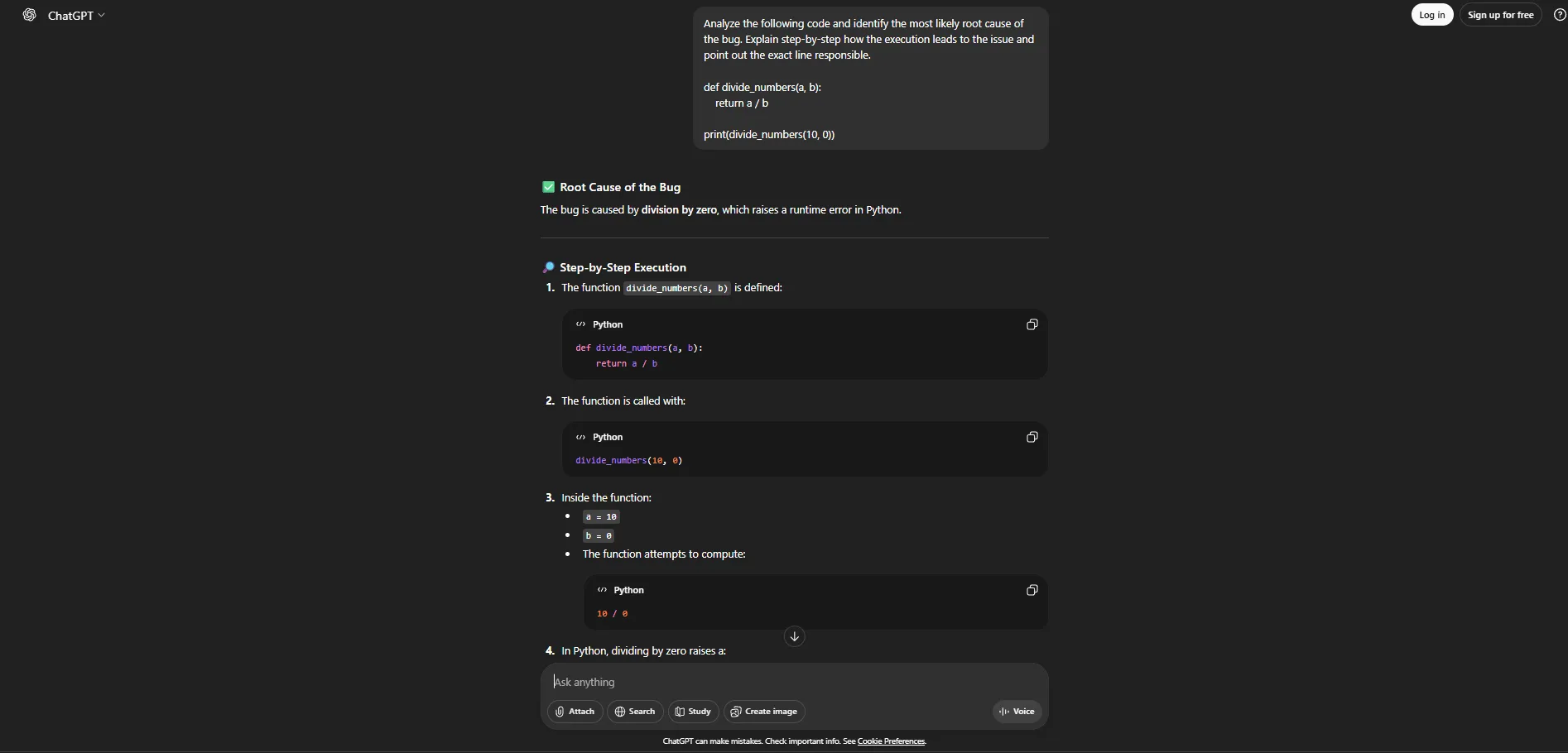
Analyze the following code and identify the most likely root cause of the bug. Explain step-by-step how the execution leads to the issue and point out the exact line responsible
Benefits
This prompt forces structured reasoning instead of surface-level fixes.
Pros
- Explains logic flow clearly
- Identifies hidden assumptions
- Helps prevent similar bugs later
Cons
- May over-explain simple issues
- Requires clean code context
Real-World Scenario
A backend API occasionally crashes under production load. This prompt helps trace which input combinations trigger the failure, saving hours of log-diving.
Error Message Interpreter Prompt
Purpose
This prompt translates cryptic error messages and stack traces into understandable explanations and actionable fixes.
When to Use It
Use it when an error message is confusing, poorly documented, or too low-level to immediately understand.
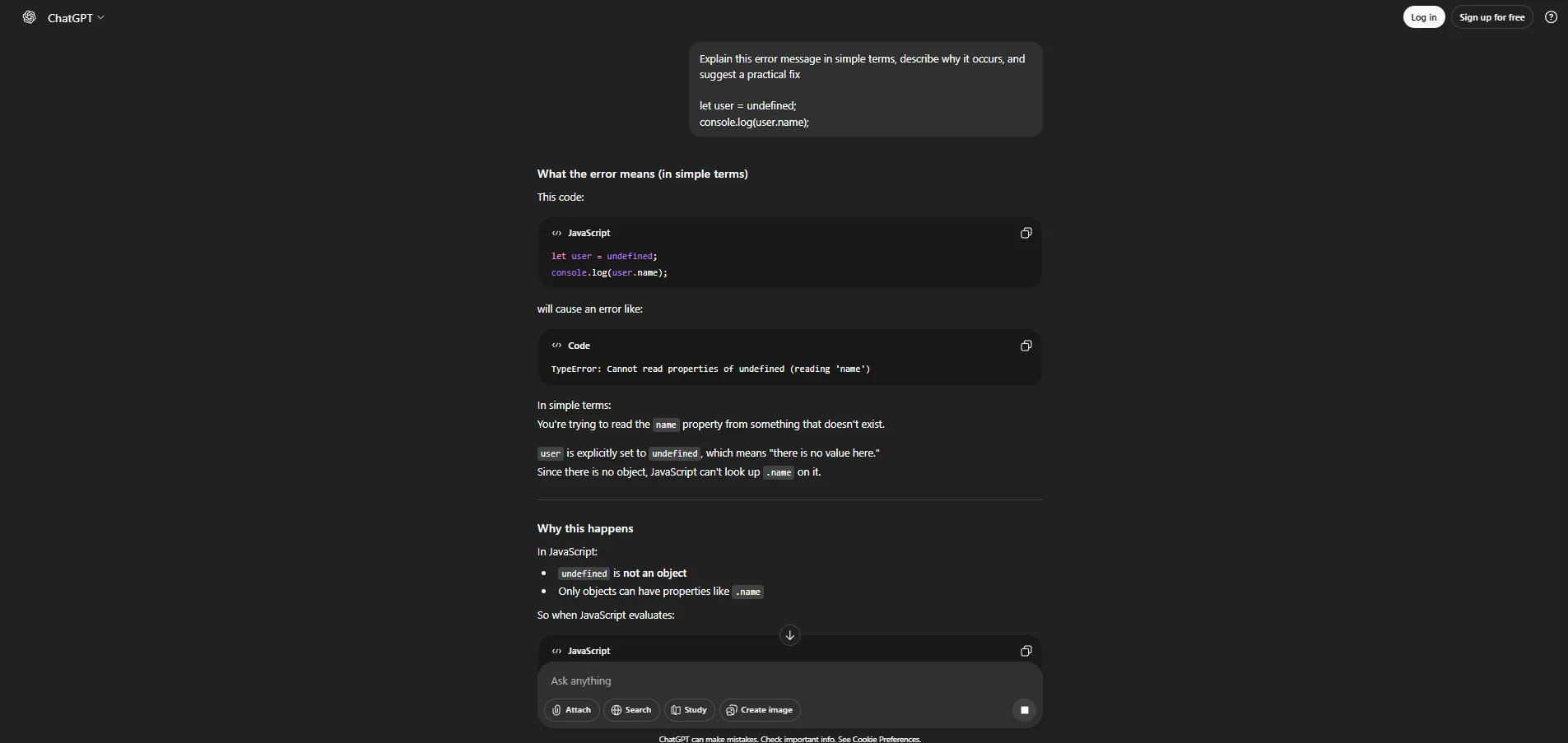
Explain this error message in simple terms, describe why it occurs, and suggest a practical fix
Benefits
Turns unreadable errors into clear guidance.
Pros
- Saves time reading documentation
- Great for junior and senior devs alike
- Reduces guesswork
Cons
- Depends on accurate error messages
- May suggest generic fixes
Real-World Scenario
A frontend developer encounters a cryptic framework error during deployment. This prompt quickly clarifies the issue and prevents a production rollback.
Minimal Reproduction Finder Prompt
Purpose
This prompt helps reduce complex code into the smallest possible example that still reproduces the bug.
When to Use It
Use it when debugging large codebases where the source of the issue isn’t obvious.
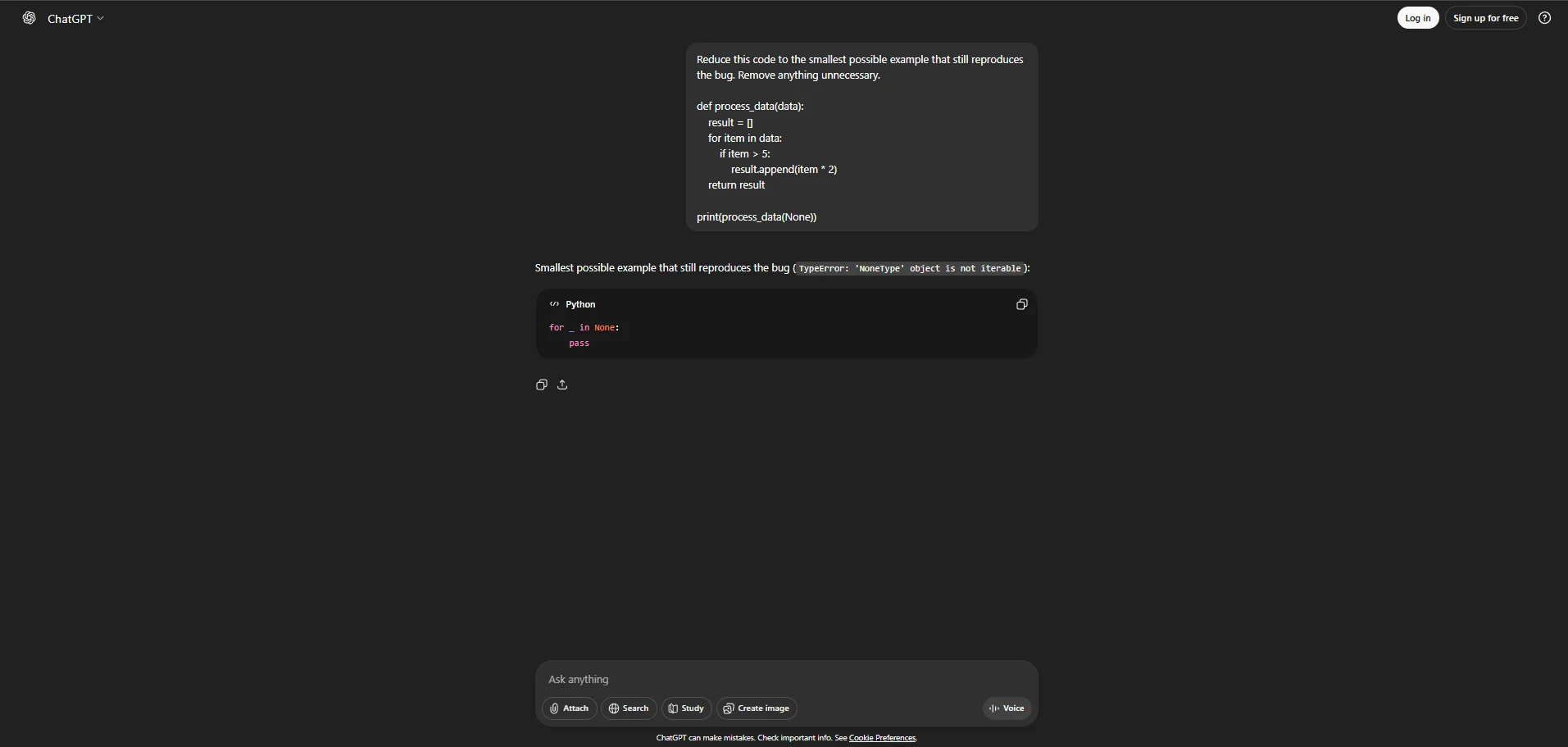
Reduce this code to the smallest possible example that still reproduces the bug. Remove anything unnecessary.
Benefits
Makes debugging focused and manageable.
Pros
- Excellent for complex systems
- Helps with bug reporting
- Improves test case creation
Cons
- Needs full context
- Not ideal for trivial bugs
Real-World Scenario
When submitting a bug report to another team or vendor, this prompt helps produce a clean reproduction case in minutes.
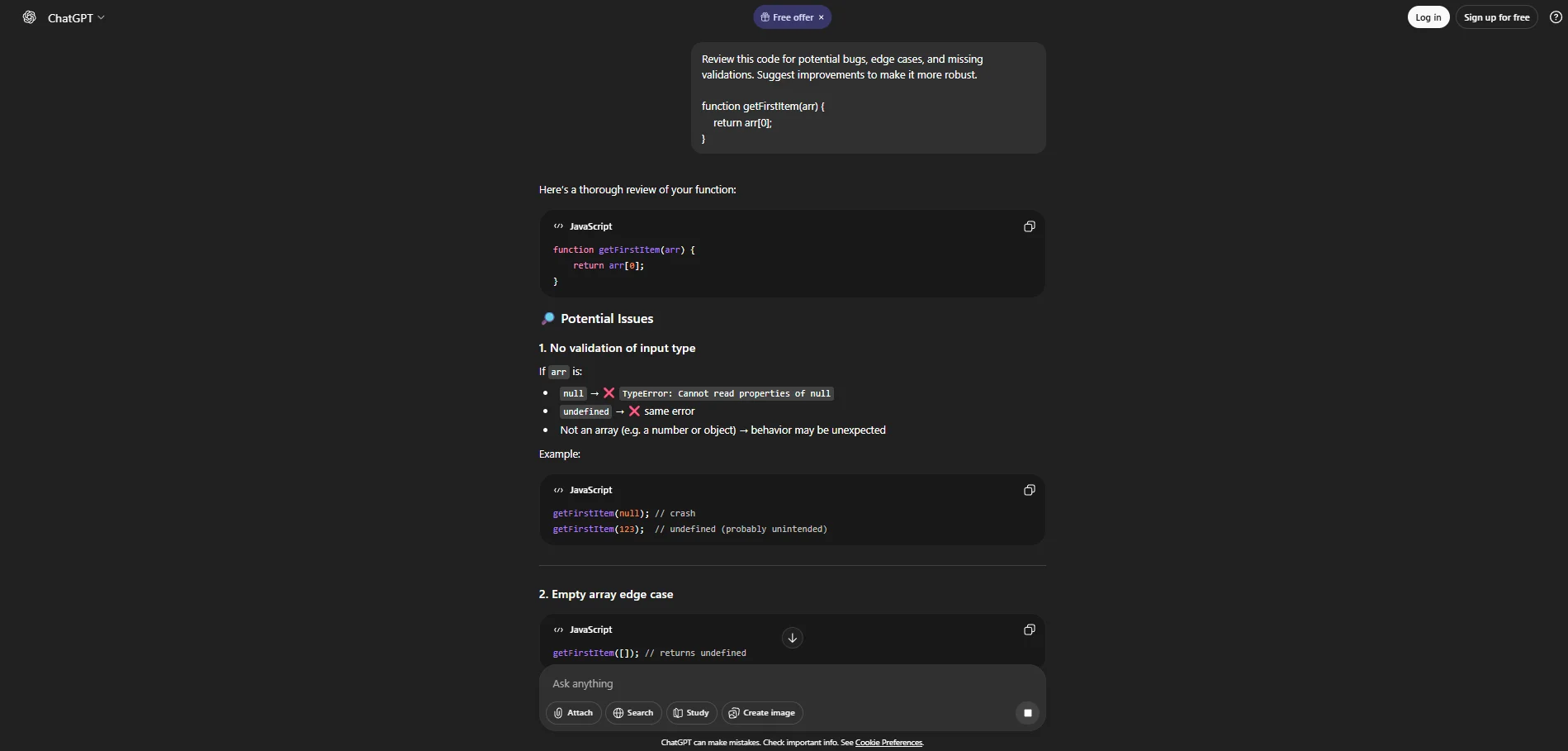
Defensive Code Review Prompt
Purpose
This prompt reviews code defensively, identifying edge cases, missing validations, and potential failure points.
When to Use It
Use it before shipping code or when bugs appear only in rare conditions.
Review this code for potential bugs, edge cases, and missing validations. Suggest improvements to make it more robust.
Benefits
Prevents bugs before they happen.
Pros
- Improves code quality
- Encourages defensive programming
- Reduces future debugging
Cons
- Can feel overly cautious
- Adds extra checks
Real-World Scenario
A shared utility function is used across teams. This prompt prevents edge-case bugs from spreading across multiple services.
Fix-with-Explanation Prompt
Purpose
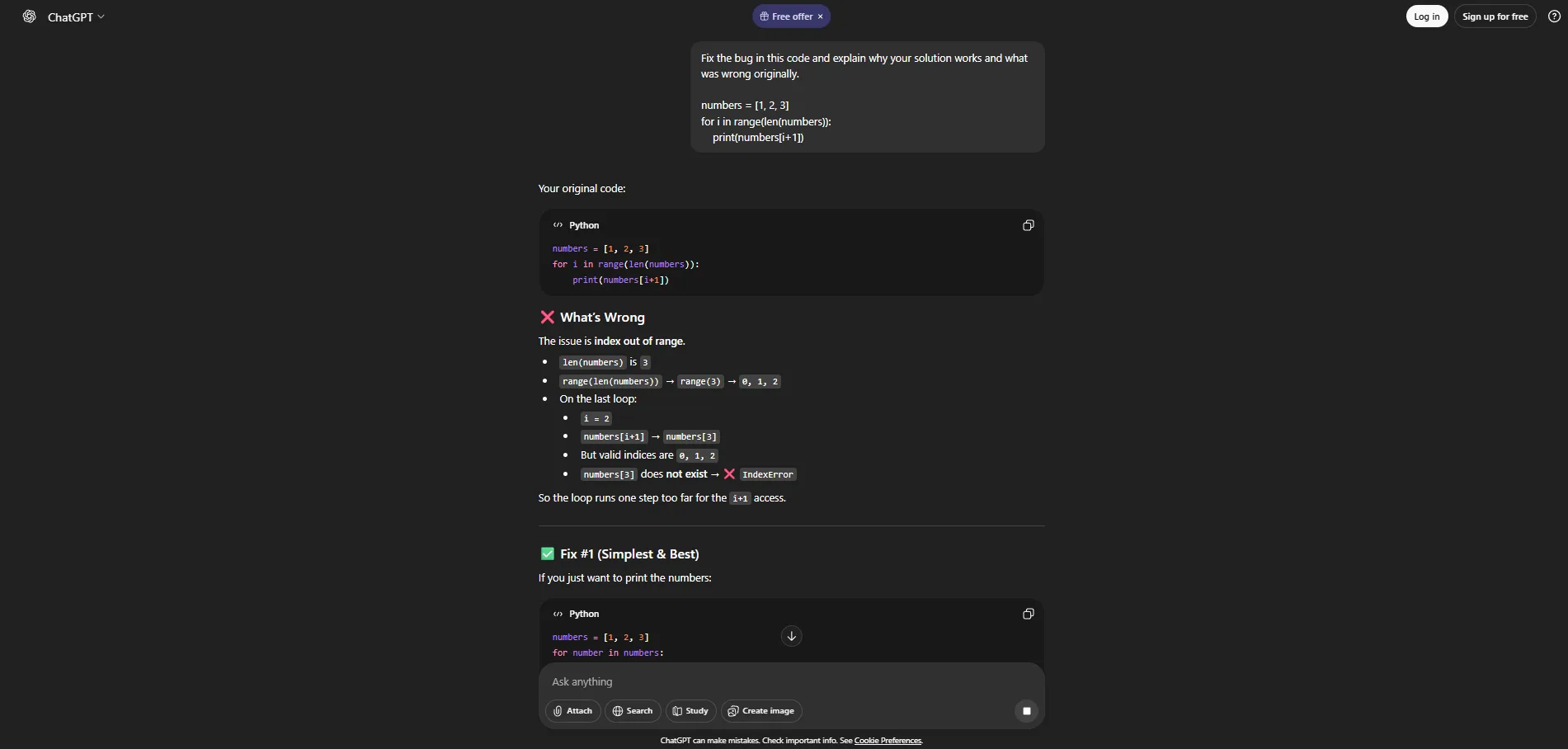
This prompt not only fixes the bug but explains why the fix works, reinforcing learning.
When to Use It
Use it when you want a solution and a deeper understanding.
Fix the bug in this code and explain why your solution works and what was wrong originally.
Benefits
Turns debugging into a learning opportunity.
Pros
- Reinforces core concepts
- Reduces repeated mistakes
- Improves long-term skill
Cons
- Slightly slower responses
- More verbose output
Real-World Scenario
A junior developer fixes a bug and actually understands it, reducing future review comments and regressions.
Advanced Tips to Write Better Debugging Prompts
- Always include expected vs actual behavior
- Provide error messages or stack traces
- Specify the language and runtime environment
- Ask for step-by-step reasoning
- Limit scope to avoid generic answers
The better your prompt, the better the debugging result.
Conclusion:
Debugging will always be part of software development — but suffering through it doesn’t have to be.
With the right AI prompts, you can reduce debugging time, understand issues faster, and write more resilient code. These five prompts aren’t theoretical tricks; they’re practical tools used daily by experienced developers to stay productive under pressure.
Start using them intentionally, refine them for your workflow, and you’ll find that bugs stop feeling like roadblocks — and start feeling like solvable puzzles.