
At present, there are many different types of tools that can help with this type of management; however, the five most popular tools currently in use are Jira Software, Linear, GitHub Issues (from GitHub.com), ClickUp and Bugzilla.
Each of these tools is very different in style from one another, with Jira being an extremely powerful and complicated solution, while Linear provides efficiency but is a very clean design, and GitHub Issues fits naturally into the workflow of Programmers who already use GitHub. ClickUp is a complete single application tool and Bugzilla offers simplicity and reliability.
Why Choose These Top 5 Bug Tracking Tools?
Bug and issue management tools, like any other form of management software, are not universally applicable to any team or organization. The five tools discussed here are very different. They each solve specific types of problems, based upon how your team operates.
Jira Software is a great option. If you're running complex projects or looking to scale quickly, Jira provides a framework for keeping your project organized even if it takes time to figure out how to use the program properly.
Linear is perfect for teams that value speed and simplicity. You don’t waste time configuring things you just start working. It’s especially useful for startups or agile teams that move quickly.
GitHub Issues is when it’s already part and parcel of your workflow. By having all things (code, bugs) all in one location it reduces the chances for inconsistencies and boosts productivity for developers.
ClickUp allows you to track your issues, tasks, documentation and communication all within one tool rather than utilizing multiple tools.
Bugzilla, which could also serve as a good option for companies looking for a creative, yet reliable interface to help them to do their jobs using a tool that continues to be successful over and over again!
Jira Software (Atlassian)
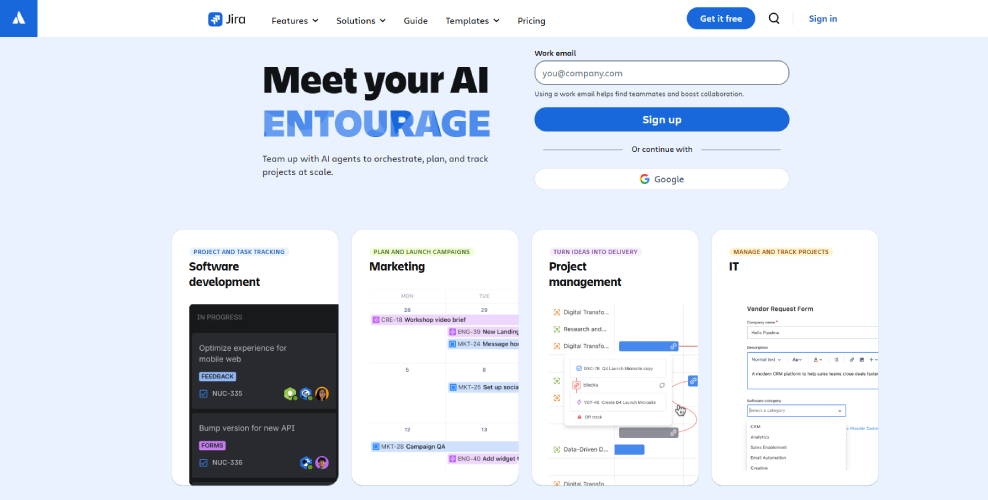
You likely know how chaotic it can be to have a bug shown up randomly and without some sort of system in place to manage them. This is where Atlassian's Jira Software comes into play. It was intended for development teams, but has found many non-developmental uses due to its inherent flexibility. Jira allows you to log bugs, create tasks, monitor progress, and keep everything in a systematic way to prevent any tasks from being lost or missed.
There are pros/cons associated with any tool that you use, but Jira does provide a large number of features that have value; however, for some, they will become frustrated when they first start using the tool. Regardless, once you become familiar with using Jira, you will be hard-pressed to find another tool that provides you similar benefits.
Why Is Jira So Useful?
So what if I can use Jira, but that it has such a steep learning curve? The simple answer here is CONTROL and VISIBILITY! When you have several tasks or people in your team all working on multiple things at once, having everything located together will usually be easier than sending multiple emails, slack messages, etc. Each time you need to update someone, you'd have to go into whichever email or messaging platform they use, find the updates, and so on - all while trying to get back to work. You just log into your Jira web portal, and everything you want to see will be displayed in one place!
Pricing
- Free: Up to 10 users
- Standard: ~$9/user/month
- Premium: ~$18/user/month
- Enterprise: Custom pricing
Key Feature
- Bug & Issue Tracking
- Custom Workflows
- Agile Boards (Scrum and Kanban)
- Reporting and Analytics
- Integration Support
- Automation
Pros
- Highly customizable for different workflows
- Excellent for Agile and DevOps teams
- Strong reporting and tracking capabilities
- Scales well for small to large teams
- Huge ecosystem of plugins and integrations
Cons
- Can feel complex for beginners
- Setup takes time (not plug-and-play)
- Interface can sometimes feel cluttered
- Pricing can increase as your team grows
 Jira Software
Linear
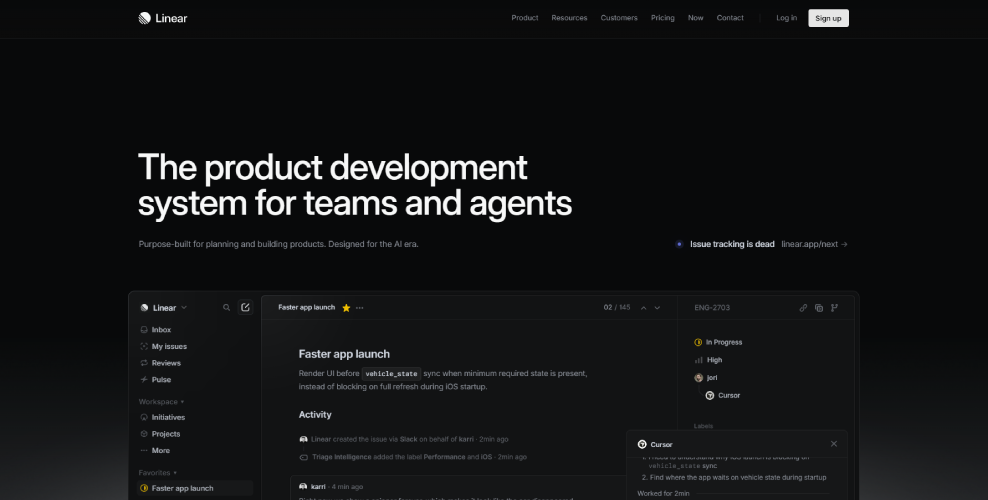
If you think bug trackings systems can be cumbersome, don’t worry. You are far from alone and this is where Linear steps in. Linear is a contemporary issue tracker and project management systems developed with speed and agility in mind most especially for rapidly growing startups and teams. Instead of bombarding you with innumerable settings, Linear will assist you with flawless basic functionality such as bug tracking, task management, as well as keeping all of your team members aligned and on pace.
Why Is Linear So Useful?
Are there any simpler types of tools that can manage serious problems? Yes! You will find that many users do not understand this concept until it’s too late (the goal of the bug tracking process is to eliminate all excess information and focus on the essential steps required to complete the task), thus removing the requirement for lengthy setup times for your team before they start working on bugs. The objective is to simply do i
Pricing
- Free: Up to 2 teams + 250 issues
- Basic: ~$10/user/month
- Business: ~$16/user/month
- Enterprise: Custom pricing
Key Feature
- Fast Issue Tracking
- Keyboard Shortcuts Everywhere
- Cycles (Sprint Management)
- Minimalist UI
- Integrations
- Real-time Sync
Pros
- Extremely fast and responsive
- Clean, distraction-free interface
- Easy to use with minimal learning curve
- Great for startups and agile teams
- Strong keyboard-driven workflow
Cons
- Limited customization compared to larger tools
- Not ideal for very complex enterprise workflows
- Fewer advanced reporting features
- Smaller ecosystem than older competitors
 Linear
GitHub Issues
GitHub has been used by developers for their code base already, so it would only make sense that they would use GitHub Issues as their method of tracking issues. GitHub Issues is an issue tracking system that allows developers to submit bugs, request feature enhancements, and manage development tasks directly from their code base/repository - the same as GitHub. There is no need to change tools, or perform complicated setups - users simply create an issue, describe the issue and start working together. Easy right?
Why Is GitHub Issues So Useful?
You might ask why not just use a separate tool? Well, honestly, context matters. When your bugs, code, and discussions are all in one place, things move faster. Developers don’t have to jump between platforms, and that alone reduces a lot of friction.
Key Feature
- Issue Tracking Made Simple
- Labels & Milestones
- Seamless Code Integration
- Assignees & Mentions
- Project Boards
- Templates & Automation
Pricing
- Free Plan – Yes, GitHub Issues are available free of charge with unlimited repositories both private and public.
- Paid Plans (GitHub Pro, Team, Enterprise) – They cost $4.00 monthly per user or more based on features (ie: advanced security options, etc).
Pros
- Completely integrated with your codebase
- Free for most use cases
- Easy to set up and start using
- Great for developer collaboration
- Supports automation
Cons
- Limited advanced project management features
- Basic reporting and analytics
- Can get messy with large-scale projects
- Not ideal for non-technical teams
 GitHub Issues
ClickUp
If you’ve ever felt like you need one tool to handle everything, then ClickUp is probably already on your radar. It’s an all-in-one productivity platform that combines task management, docs, goals, and yes bug tracking into a single workspace. Instead of juggling multiple tools, ClickUp tries to bring your entire workflow under one roof. And honestly, for many teams, that’s a pretty appealing idea.
Why Is ClickUp So Useful?
So why do teams choose ClickUp over simpler tools? Honestly, it comes down to flexibility. If your workflow isn’t “one-size-fits-all,” ClickUp gives you the freedom to build something that actually fits your process.
Key Feature
- Customizable Bug Tracking
- Multiple Views (List, Board, Gantt, Calendar)
- Automation
- Built-in Docs & Comments
- Time Tracking
- Integrations
Pricing
- Free Forever
- Unlimited: ~$7/user/month
- Business: ~$12/user/month
- Enterprise: Custom pricing
Pros
- Extremely flexible and customizable
- All-in-one platform (reduces tool switching)
- Generous free plan
- Wide range of features and integrations
- Suitable for both technical and non-technical teams
Cons
- Steep learning curve for beginners
- Can feel cluttered due to too many features
- Setup takes time to get right
- Performance can sometimes feel slower with heavy use
 ClickUp
Bugzilla
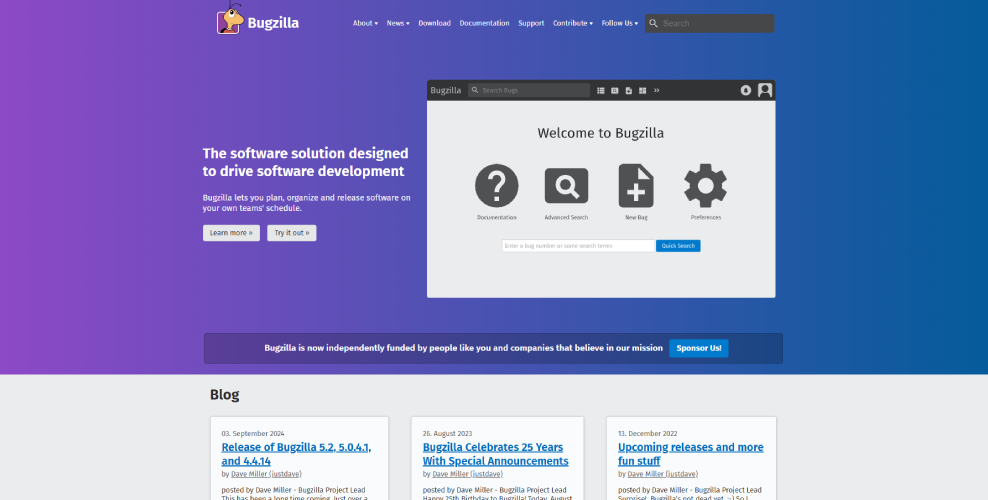
Bugzilla is that it does not reflect itself as being a cutting edge or modern application, nor does Bugzilla have many of the fancy features that might be present in the more cutting-edge tools available today (e.g. in my opinion). However, Bugzilla’s lack of bells and whistles and emphasis on stability, reliability, and detail in record keeping of issues, demonstrates a focus on functionality first and aesthetics second. Furthermore, Bugzilla has a robust feature set to assist with the ongoing complexity of issue tracking for a wide array of uses, particularly for larger or longer length projects. So while Bugzilla may be perceived as an older "style" as compared to more modern systems, if you place a high value on function versus appearance, Bugzilla is still able to meet its promise quietly and effectively.
Why Is Bugzilla So Useful?
There are many newer tools out there; however, several teams still use Bugzilla because they trust it and feel they can control what happens with it. Bugzilla has existed for a long time and has been successfully employed by numerous companies to complete large, complicated projects.
Key Feature
- Advanced Bug Tracking
- Custom Workflows
- Powerful Search & Filtering
- Email Notifications
- User Permissions & Roles
- Reporting & Charts
Pricing
- Free & Open Source: 100% free to use
- Hosting Cost: You need your own server or hosting setup
Pros
- Completely free and open-source
- Highly reliable and stable
- Excellent for detailed bug tracking
- Strong customization for workflows
- Great for large and long-term projects
Cons
- Outdated and less intuitive interface
- Steeper learning curve for new users
- Requires self-hosting and maintenance
- Limited integrations compared to modern tools
 Bugzilla
Comparison Table
| Tool | Best For | Ease of Use | Customization | Pricing | Key Strength | Main Limitation |
|---|---|---|---|---|---|---|
| Jira Software | Large teams, Agile, DevOps | Moderate (learning curve) | Very High | Free + Paid | Powerful workflows & reporting | Complex setup |
| Linear | Startups, fast teams | Very Easy | Medium | Free + Paid | Speed & simplicity | Limited advanced features |
| GitHub Issues | Developers using GitHub | Easy | Low | Free + Paid | Code integration | Basic project management |
| ClickUp | All-in-one productivity | Moderate | Very High | Free + Paid | Flexibility & features | Can feel overwhelming |
| Bugzilla | Long-term, large projects | Difficult for beginners | High | Free | Stability & reliability | Outdated UI |
Conclusion
When it comes to finding the ideal bug tracking tool suitable for your needs, it is determined by how your team operates and what types of projects you will be working on together as a team. For example, Jira Software has deep control and is scalable and suited for very large teams with a structured team model, while Linear is geared towards speed and ease of use for a rapidly changing environment. If your current workflow is primarily code-based, having all project-related information in one location will reduce friction and facilitate collaboration using GitHub issues; however, if you prefer a more flexible/collaborative approach, then ClickUp can deliver on that through an all-in-one solution, while Bugzilla is more for reliable, no-nonsense bug tracking and provides comprehensive bug tracking detail.
In conclusion, while there may not be an ideal bug tracking solution for all companies, at least one bug tracking tool will meet the specific needs of your company. Simply put, the primary purpose of bug tracking is to ensure the bugs discovered are able to be repaired in the shortest amount of time, with minimum amount of resources expended, so as to not reduce productivity. Regardless of how you prioritize the importance of the attributes of your bug tracking tool (simplicity, flexibility, compatibility, stability), selecting the best tool for your organization will lead to better workflow, better communication within the organization, and ultimately higher quality software.